
Character encoding diagnostic
Three places declare your encoding. They may not agree.
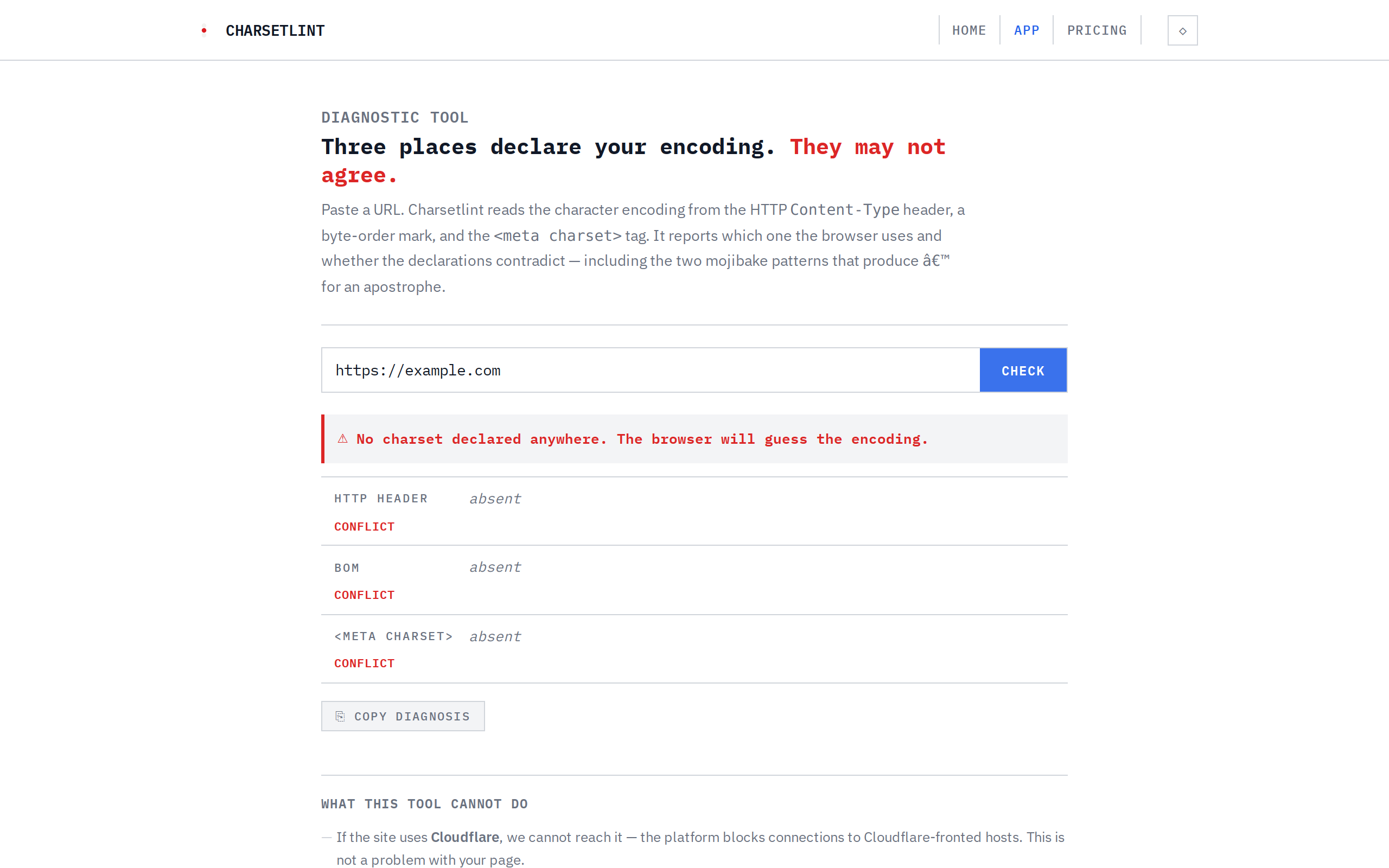
A single URL, three sources of truth. Charsetlint reads the HTTP Content-Type header,
a byte-order mark, and the <meta charset> tag — then reports which one the browser
actually uses and whether the declarations contradict. Built for the developer who has already checked
their markup twice and still sees ’.
01 / WHAT IT CHECKS
Three places the browser looks, and the browser has a preference order.
A browser determines a page's character encoding by consulting exactly three sources, in order:
the HTTP Content-Type header sent by the server, a byte-order mark at the very start
of the file, and the <meta charset> tag in the HTML. The first one present wins.
Most developers only look at the meta tag in their HTML. But if the server sends a different charset in the HTTP header — which can happen through a misconfigured reverse proxy, a CMS platform default, or a CDN override — the header wins, and the meta tag the developer wrote is never used.
02 / HOW IT WORKS
One URL, one diagnosis, in three steps.
Paste a URL
Any public URL is fine — a single page, a site root, anything that returns HTML.
Read all three sources
Charsetlint fetches the page, reads the HTTP Content-Type header, inspects the first few bytes for a BOM, and scans the first 1024 bytes of HTML for a <meta charset> declaration. If the meta tag appears after byte 1024 — where the browser has already stopped looking — it flags that too.
Compare and report
Each source is shown in its own band with a raw value and a green OK or red CONFLICT label. A single verdict line says whether the three agree. If they contradict, a note identifies which source overrides the others.
03 / WHAT IT FINDS
Two mojibake patterns, one bringing ’ to your pages.
The most common mojibake pattern on the web: a developer writes <meta charset="utf-8">
in their HTML, but the server sends Content-Type: text/html; charset=iso-8859-1 in the HTTP
header. The browser honours the header, interprets the UTF-8 bytes as Latin-1, and produces
’ for what should be an apostrophe. Charsetlint flags this exact contradiction by name.
The second pattern: the <meta charset> tag appears after the first 1024 bytes of
the document. The browser has already stopped scanning by then and falls back to a guess — often
the server default, which may not match the tag the author intended.
Example diagnosis output:
⚠ Contradiction detected.
HTTP header: iso-8859-1 · BOM: absent · <meta charset>: utf-8
HTTP Content-Type header wins over <meta charset>
Mojibake pattern: UTF-8 bytes served as Latin-1
04 / LIMITATIONS
It is a diagnostic instrument, not a scanner — and it does not lie about reachability.
- Cloudflare-hosted targets: A Cloudflare Worker cannot open a connection to a host that is itself behind Cloudflare. Those URLs report as unreachable. This is a platform limitation, not a problem with your page. The tool says so explicitly.
- JavaScript-rendered meta tags: The tool reads the raw HTML served by the server, not the DOM after JavaScript runs. If your
<meta charset>tag is injected by a client script, it will not be detected. - No bulk scanning: This is a single-URL diagnostic. There is no batch mode, no crawl, no sitemap import.
- No file conversion or re-encoding: The tool diagnoses a contradiction. It does not produce a converted file, a fixed copy, or corrected markup.
- 16 KB limit: Only the first ~16 KB of the response body are scanned. Encoding declarations past that point are not checked.
- No state: Each request is independent. No history, no cache, no server-side logs.
05 / WHO IT IS FOR
Anyone who deploys HTML and needs to know what encoding the browser actually sees.
Web developers who manage their own servers or reverse proxies. Site maintainers who inherited a
platform that may have a charset directive at the CDN, the application server, and the HTML template
— none of which necessarily agree. Sysadmins asked to investigate why ’ keeps appearing
in production. Anyone who has already stared at their own <meta charset> tag,
confirmed it says UTF-8, and still cannot find the source of the mojibake.
The tool exists because the HTTP header lives outside the file you are editing. If you are looking at your markup, you will not see it there. Charsetlint shows it to you.
06 / WHY IT MATTERS
An encoding contradiction is invisible until it breaks something.
A page can render correctly for months — serving UTF-8 content under a UTF-8 header, all three
sources in agreement — until a deploy, a CDN config change, or a reverse proxy update silently
overrides one of them. A developer pushes a fix that touches only the HTML template and the meta
tag is right, but the real cause was never in the template. The contradiction becomes visible only
when a user opens a page and sees ’ where an apostrophe should be.
Charsetlint makes the invisible contradiction visible in one request. The verdict names the overriding source, the offending value, and the mojibake pattern — so you take an answer to your deployment pipeline or your sysadmin, not a guess.
07 / WHAT IT COSTS
Free. No account needed. No upsells.
The answer is one URL away.
Paste a URL and see, in about a second, whether your encoding declarations agree or contradict. No sign-up, no charge.
Check a URL now Pricing